Showing posts with label Google. Show all posts

Tuesday, 22 September 2015

Notepads and Android

Notepads and android

If you type the phrase notepad into the Google playstore search box you will get over one thousand results. All of them serving the same purpose with more or less functionality but only a few of them stands out of the crowd. Instant note taking on mobile phone instead of traditional notepads have become a trend, after all who wants to carry additional items in their bag pack. People like to create digital notes, to do lists, itinerary, even reminders on their mobile devices. So which application is the best for note taking purpose??
Google keep is the best note taking app in terms of functionality and simplicity. Google keep makes it easy to create and manage notes easily with their clean material design interface. Additionally you can use it with various devices all of them will be synchronized with each other. It’s simple and clean but lacks high level of productivity.
Evernote is the big daddy of note taking application with a tons of features and functions. It comes with good device support available on all major platforms like Android, iOS, Blackberry, Windows phone etc. Organization of notes is very convenient in Evernote (you can arrange notes by creating different notebooks). Full size desktop Evernote app is also available on Windows and Mac Os. Creating Voice notes is also possible with Evernote. Although in the free version the user is given a limited storage for a month (additional storage can be purchased by spending few bucks). All over it’s great but its bit complex for new users and amateurs.

Microsoft One Note, it is only recommended for those users who use Microsoft’s office suite. It’s very similar to Evernote but it comes with a deep integration with Microsoft office. The Notes are shared with Microsoft’s OneDrive, cloud makes it easier to find the files manually in OneDrive. The OneNote app has nice and cool animation effects which might require good specifications in the device installed.  Although it’s an awesome alternative to Evernote but it may not appeal to some audience. All over the One note app gives more professional like experience than Evernote but it still lacks some functionality. 

Wednesday, 5 August 2015

Android and office

OFFICE

Since the beginning of android it was possible to edit word documents and spreadsheets. But it was a total miniature version of the real office suite. In the early days of android only editing of docs was possible, you can’t create new documents within the applications. Many application supported the functionality of creating documents with in the application but they all came at high price or a subscription basis. But things have changed now you get all the featu
res for free without paying a single penny.

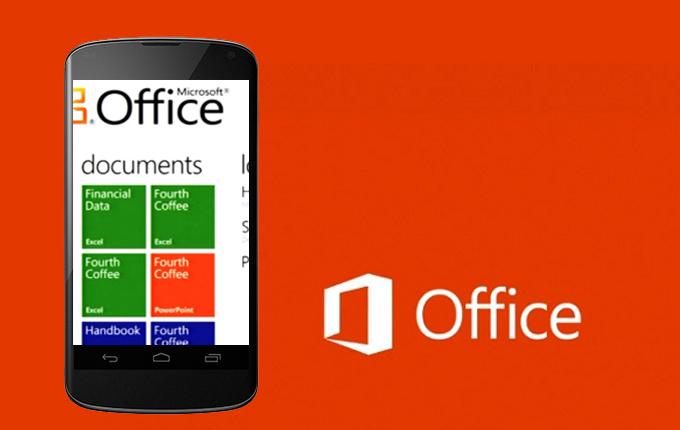
In the early smartphone days it was widely believed that mobile phones have insufficient power to process docs and spreadsheets. But today you can even create high quality presentations with android devices. You don’t need a full size computer to create docs, spreadsheet or presentations all you need is a decent phone with good hardware support. In the early days of android there were many competitors for office suite software with similar functionality. Thinkfree office, WPS office, office suite by mobi systems, Polaris but today the competition is very limited. Today only google office suite and Microsoft office suite are the biggest rivals in android.  We all know Microsoft’s office suite is the king of office suites in pc. Even they came with their suite for android late but they instantly dominated the Google playstore. Microsoft has three separate applications: Word, Excel, power point meant for word processing, spreadsheet management, managing presentations (respectively). All of them looks and perform magnificently well in android devices. Microsoft’s office suite looks best with android tablets with high range of functions which almost feels like the desktop version. All though the application size after installation is huge which might be a problem for entry level devices with low memory. But Midrange devices and High end devices works like breeze with Microsoft’s office suite. Microsoft released their office suite late into android, because they wanted to make their office suite a selling feature for the windows phones but all their efforts on windows phone have failed miserably. The factor which made windows phone unique is no more a unique factor now it’s general to all the people. The ironic fact is that the android version of the office suite has more features than the windows phone version.
Google on the other hand also put their effort to make a functional office suite for android. Their office suite first came as a single application but recently they divided it into three major standalone apps (Google Docs, Google sheets, Google slides). They all feel native to android with Google’s material design and app integration. The Google’s initiative towards mobile office suite is also very effective although most of the feature of their apps are based on a working internet connection thus they are also very lightweight on the android devices. The user experience of their office suite is very clean and basic, highly recommended for new users or armatures. On the other hand Microsoft’s office suite feels more professional and complex so it’s totally up to the user’s personal preference. Both are well equipped with cloud technologies, Google works with its Google drive and Microsoft works with their own One drive (formerly skydrive). Any other application than these two is a complete ripe off. It is highly recommended to use from these two only. Any other subscription based office suite will be a complete waste of precious money. 
That’s all folks